

The #1 Pentest Reporting & Management Tool
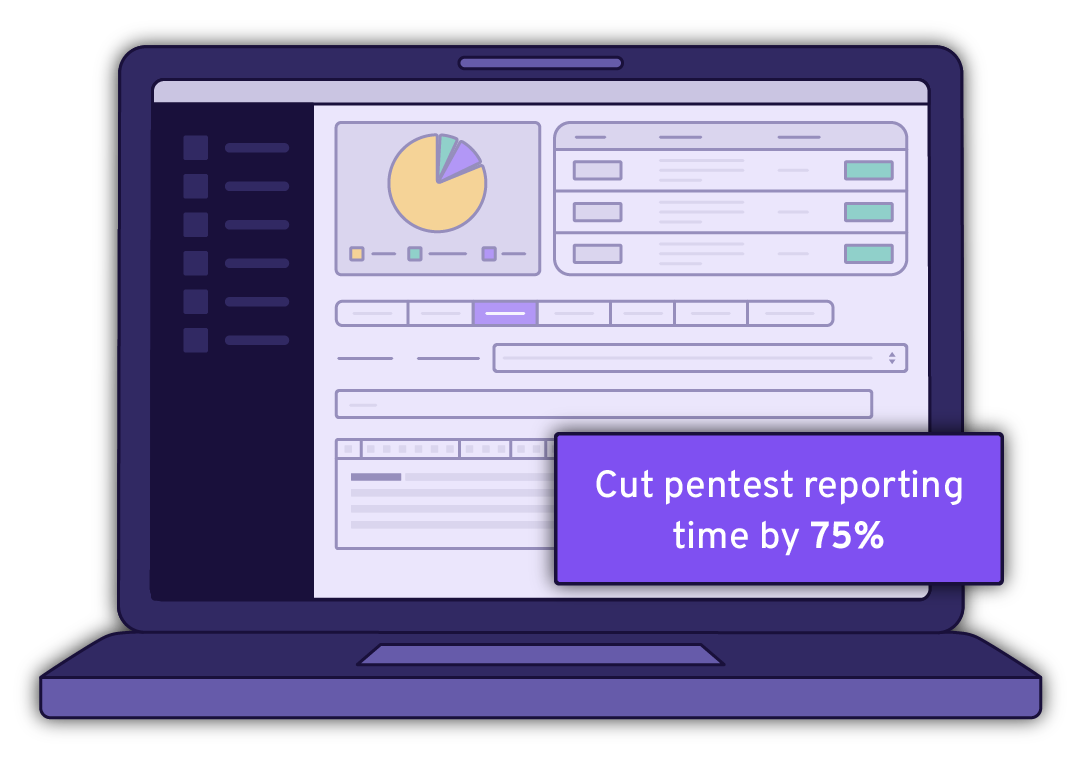
Cut pentest reporting time by up to 75% with the #1 AI-powered platform for pentest reporting and threat exposure management. With PlexTrac, penetration testers spend less time writing reports and more time finding and fixing security flaws.
How Much Can Your Organization Save?
Calculate the business impact of PlexTrac
Manage the Pentesting Process From End-to-End
PlexTrac streamlines and automates each stage of the penetration test reporting workflow, enabling you to deliver more impactful reports in less time. Speed up report authoring by leveraging AI to auto-generate descriptions and analyze report content, while driving consistency with reusable content including writeups, narratives and procedures that may be built into repeatable test plans. Replace manual efforts with automation and collaborate from start to finish from within PlexTrac.

Plan & Scope
Streamline planning by defining scope & scheduling:
- Define scope parameters and collect engagement details (including file uploads)
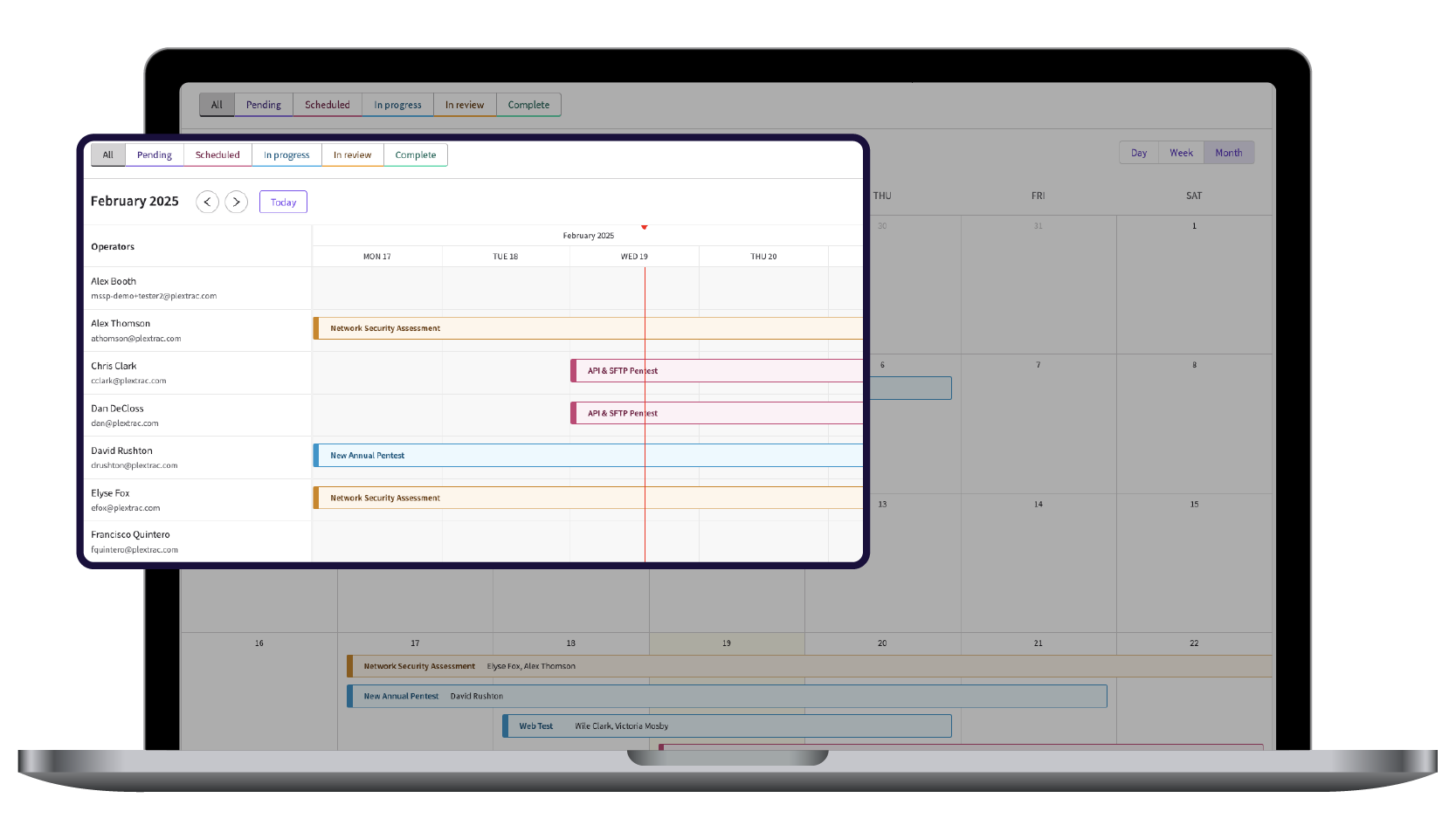
- Easily manage team workload capacity
- Manage inbound scheduling requests

Execute
Execute in a platform built for the pentesting workflow:
- Ingest and consolidate security tool data with your manual testing results
- Repeatable test plans ensure consistent testing
- Document issues as you go–including images, videos and code samples

Report
Take the pain out of penetration testing reports:
- Use AI to analyze report data and auto-generate findings and narratives
- Reusable content– writeups, narratives and procedures–drives speed and consistency
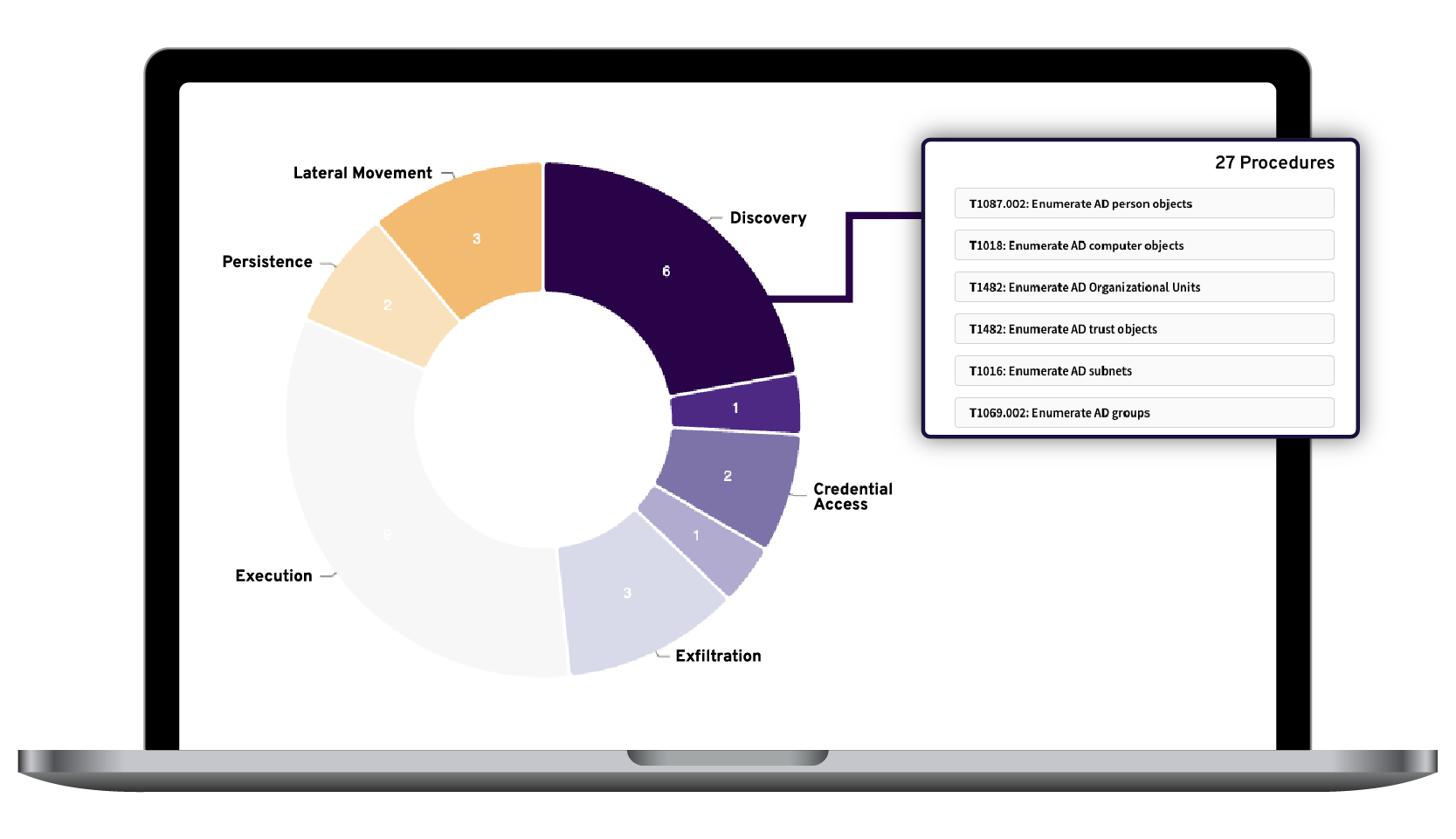
- Show procedure coverage of testing, whether issues were found or not
- One click to deliver a branded report document deliverable

Deliver
Deliver actionable pentest reports with real-time updates:
- Share reports though a white-labeled client portal
- Make results immediately actionable with real-time updates, powerful dynamic visuals, and access to all historical data
- Auto-create tickets from report findings in Jira or ServiceNow

Remediate & retest
Streamline the findings handoff and retesting workflow:
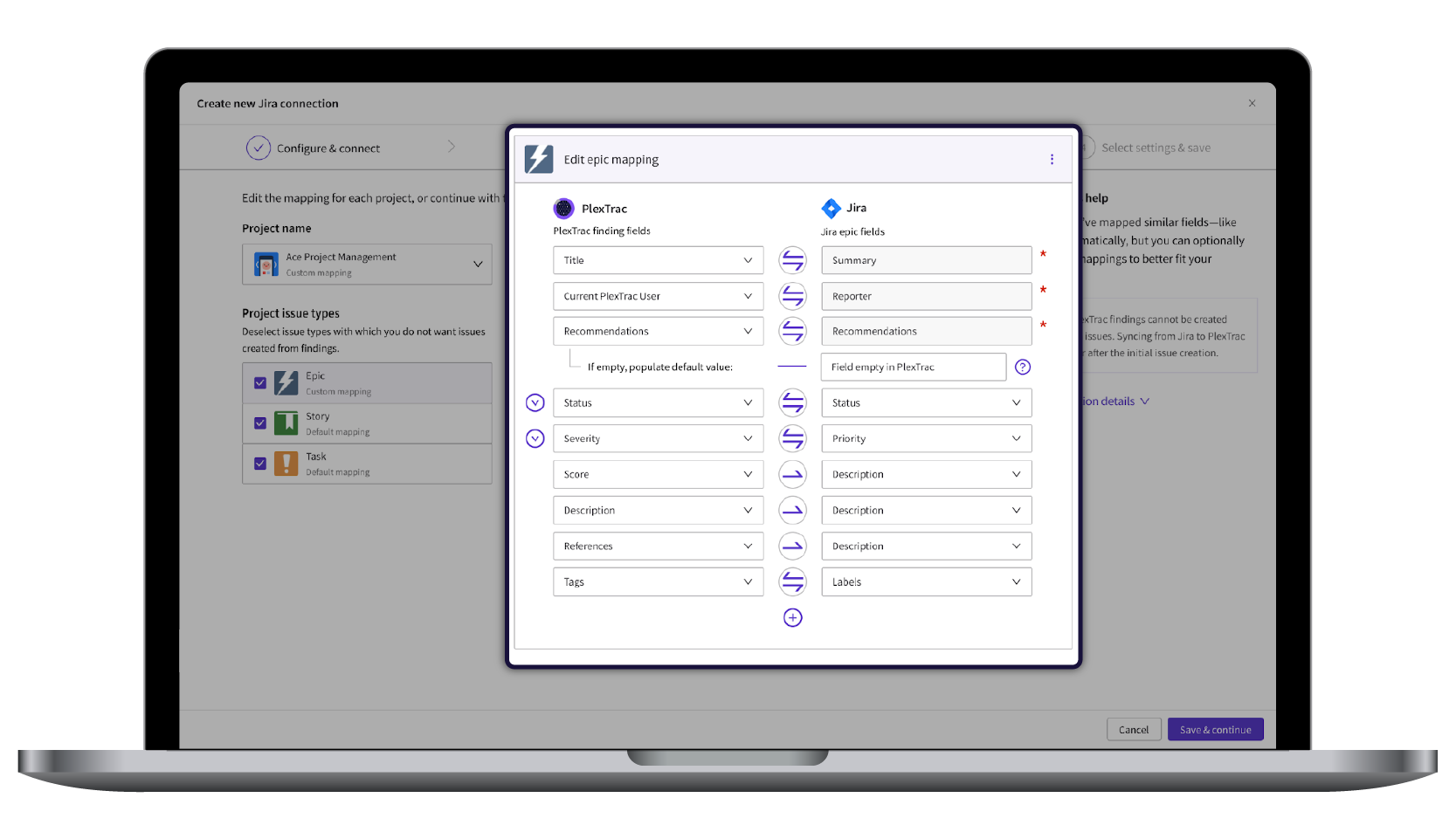
- Immediately send findings to Jira and ServiceNow
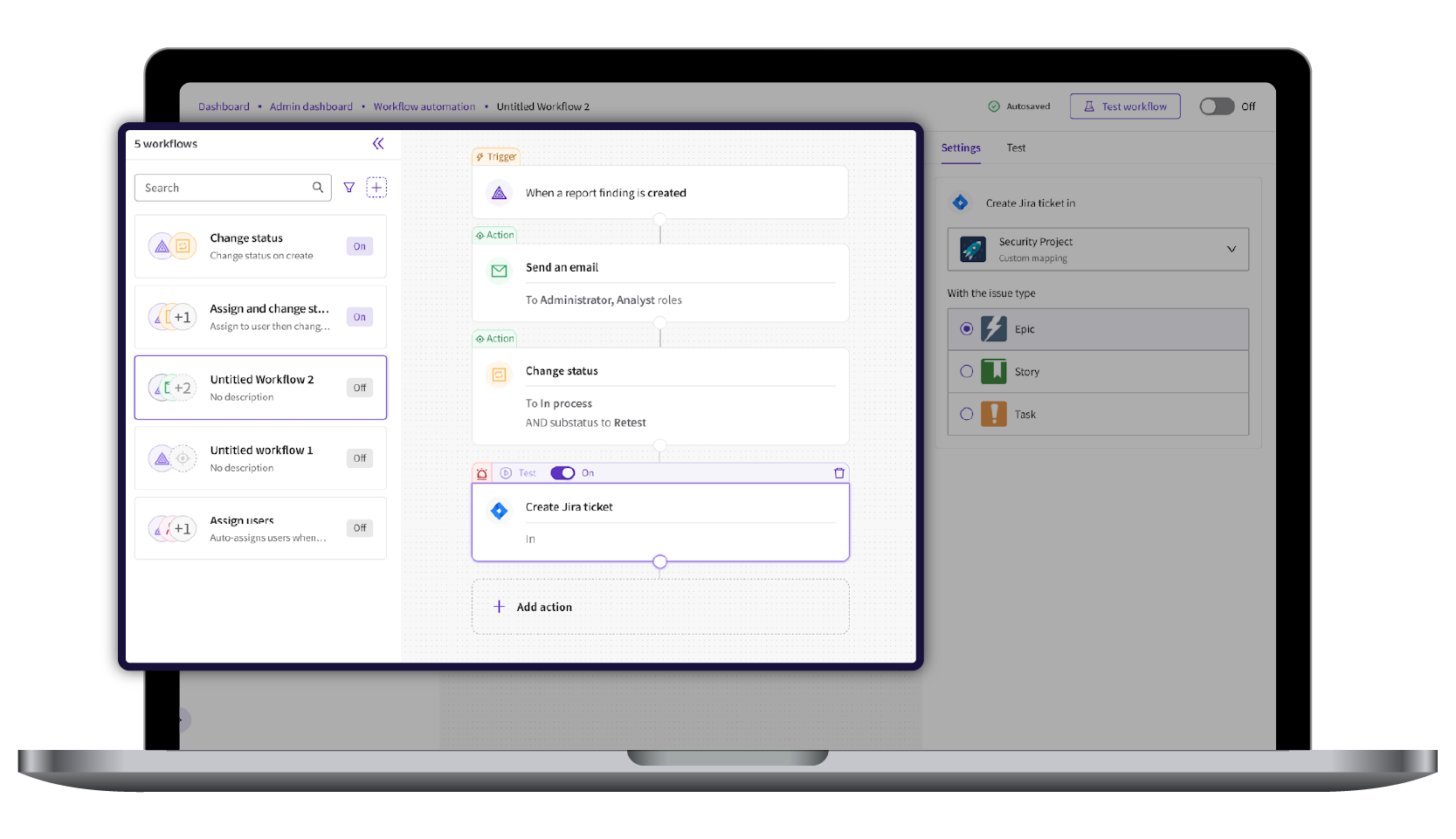
- Build automated workflows around trigger events—such as a new critical finding emerging—to auto-create tickets, send emails, update statuses, and more
Accelerate and Automate Pentest Reporting
Schedule & Scope
Schedule and scope engagements, manage inbound scheduling requests, and easily manage team workload capacity.
Procedures & Runbooks
Build procedures into reusable test plans to report against frameworks, ensure consistent testing, quickly ramp up new penetration testers, and communicate what testing has been completed.
Data Ingestion
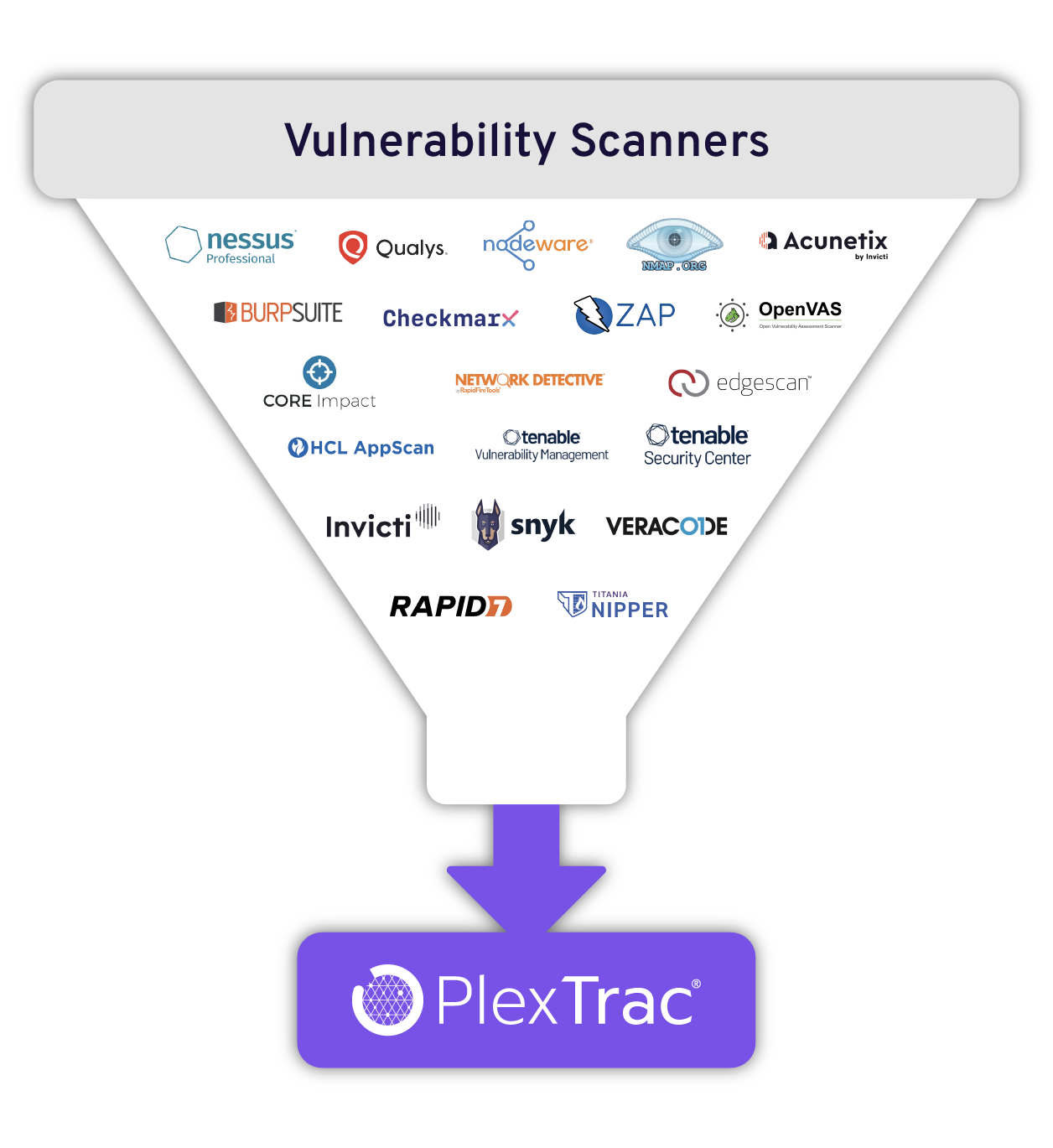
Ingest data from all your pentesting security tools and scanners and deduplicate vulnerabilities via a wide range of platform integrations.
AI
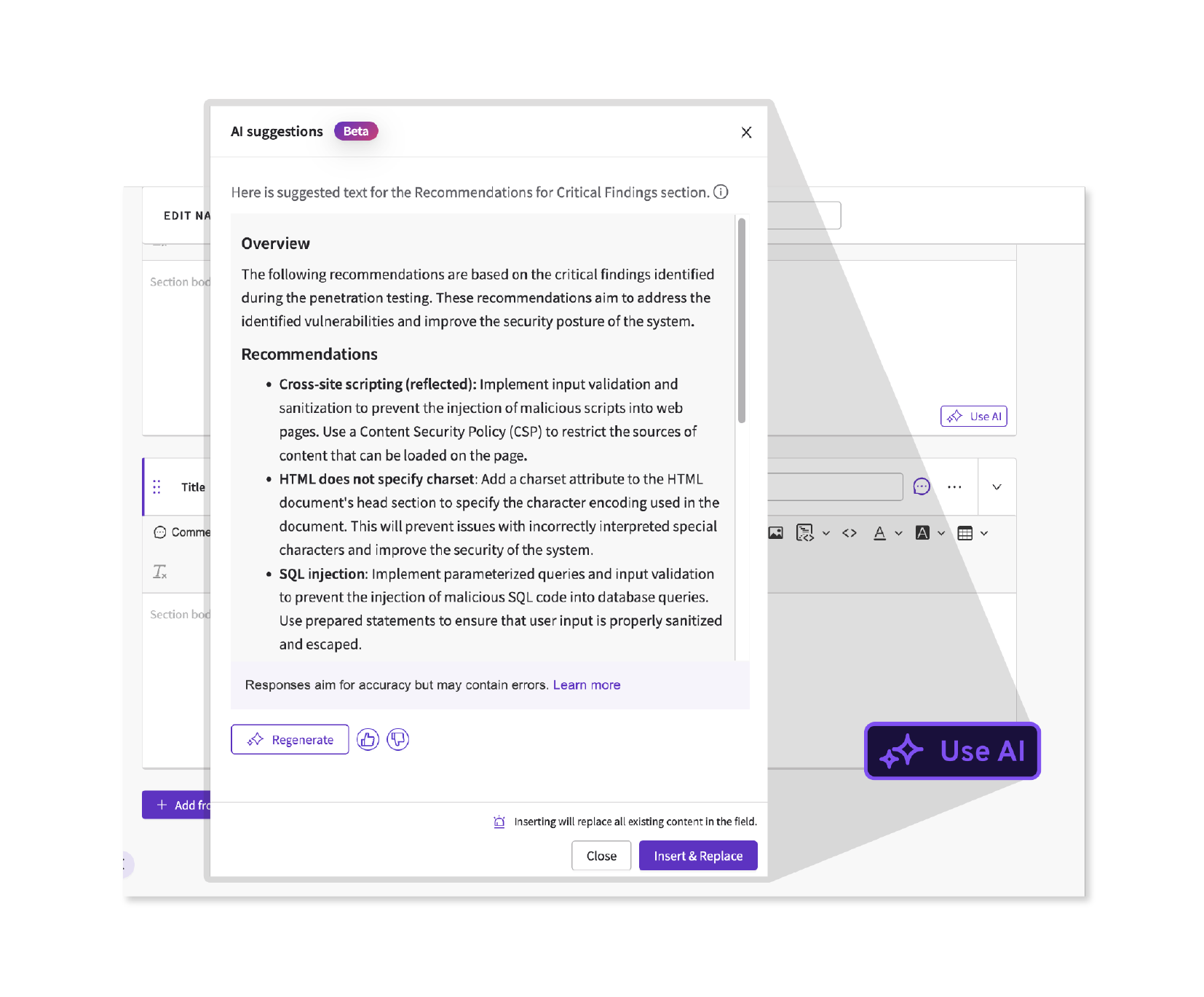
Boost efficiency by using AI to auto-generate findings and narrative descriptions and analyze report data.
Reusable Content
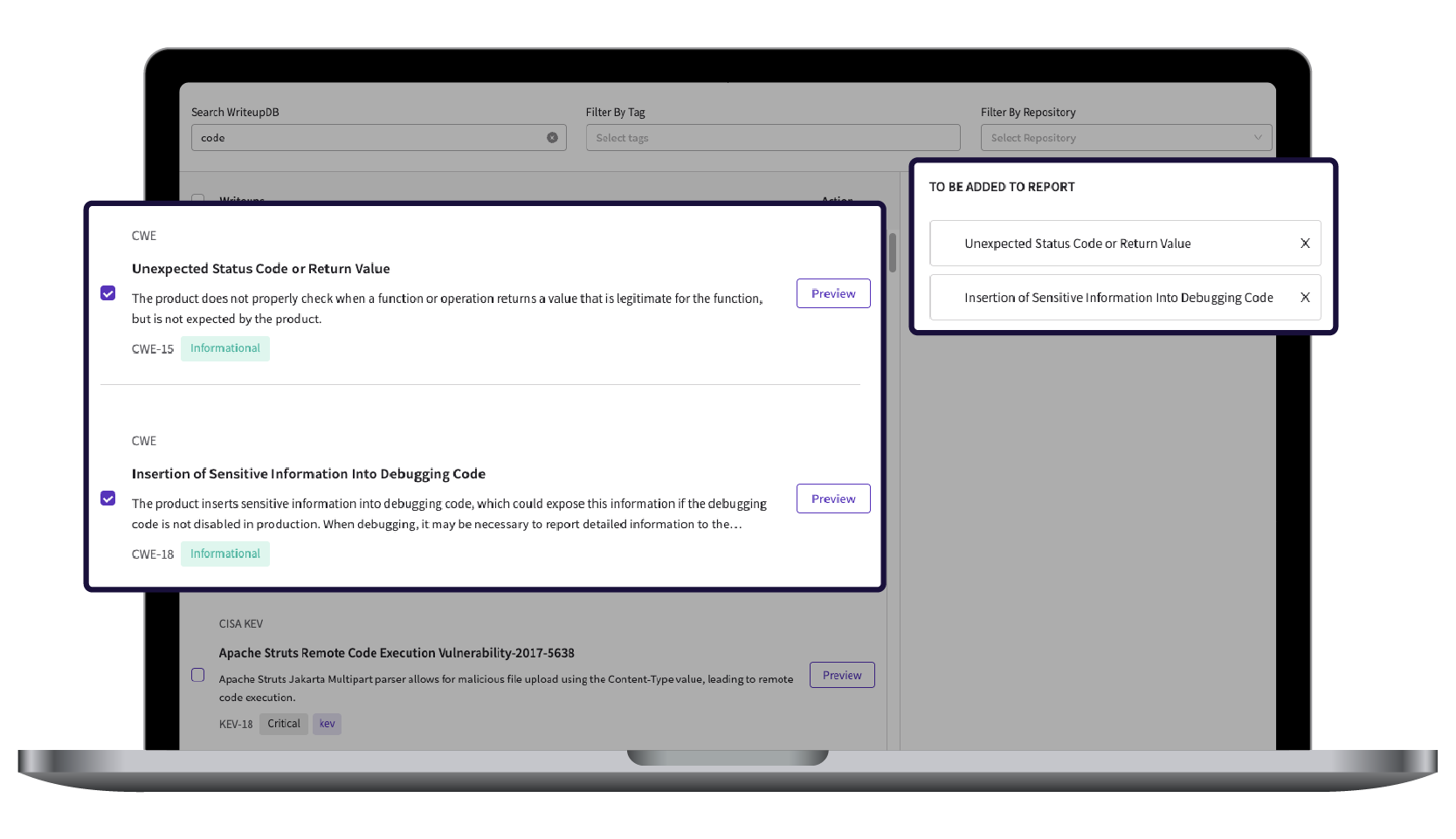
Store and reuse details writeups, narratives and procedures to streamline penetration test report creation and drive consistency–including the industry’s largest out-of-the-box repository of over 25,000 writeups.
QA (Quality Assurance)
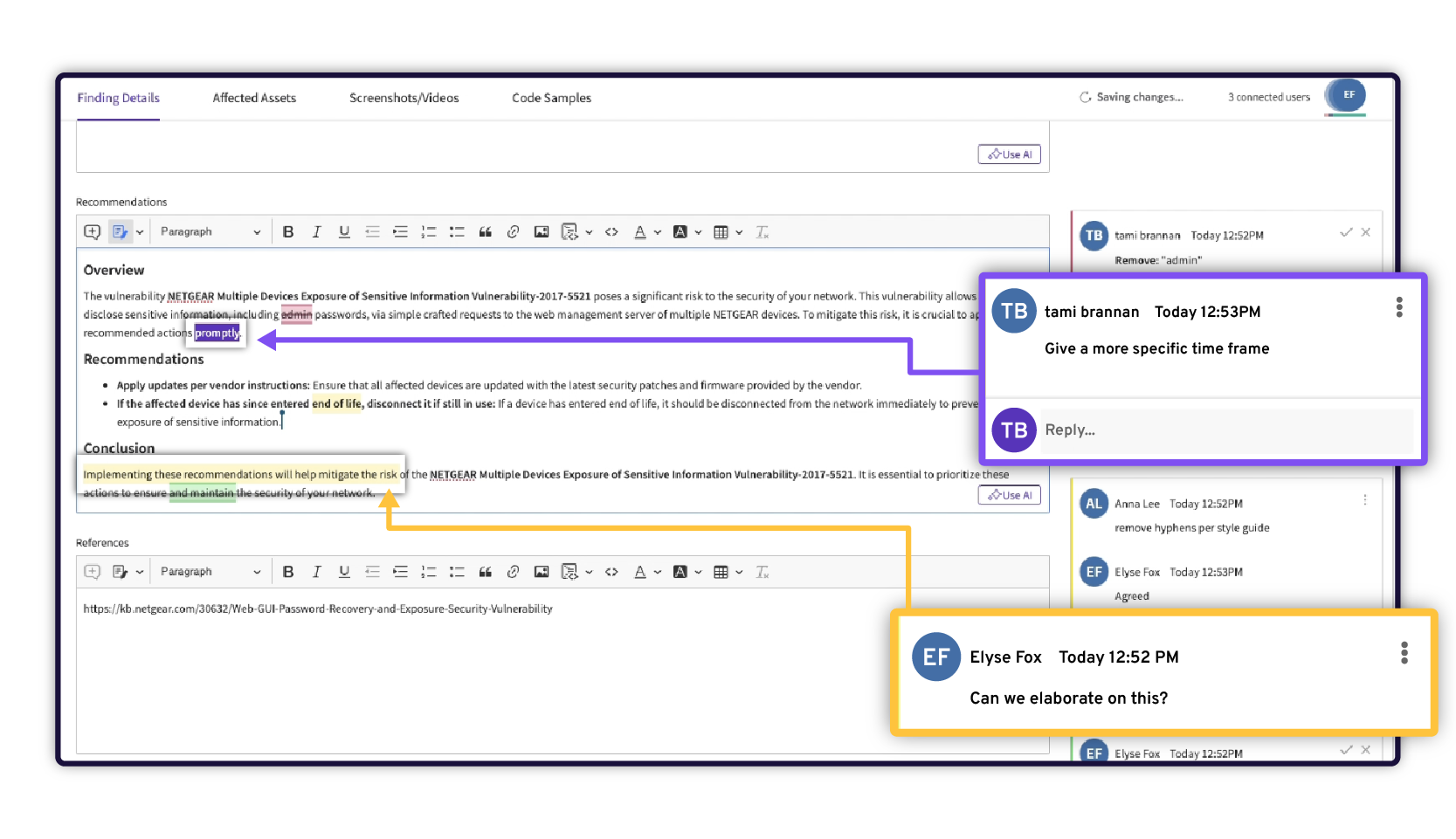
Execute your review workflow in PlexTrac with commenting and change-tracking so multiple users may collaborate in real-time.
Client Portal
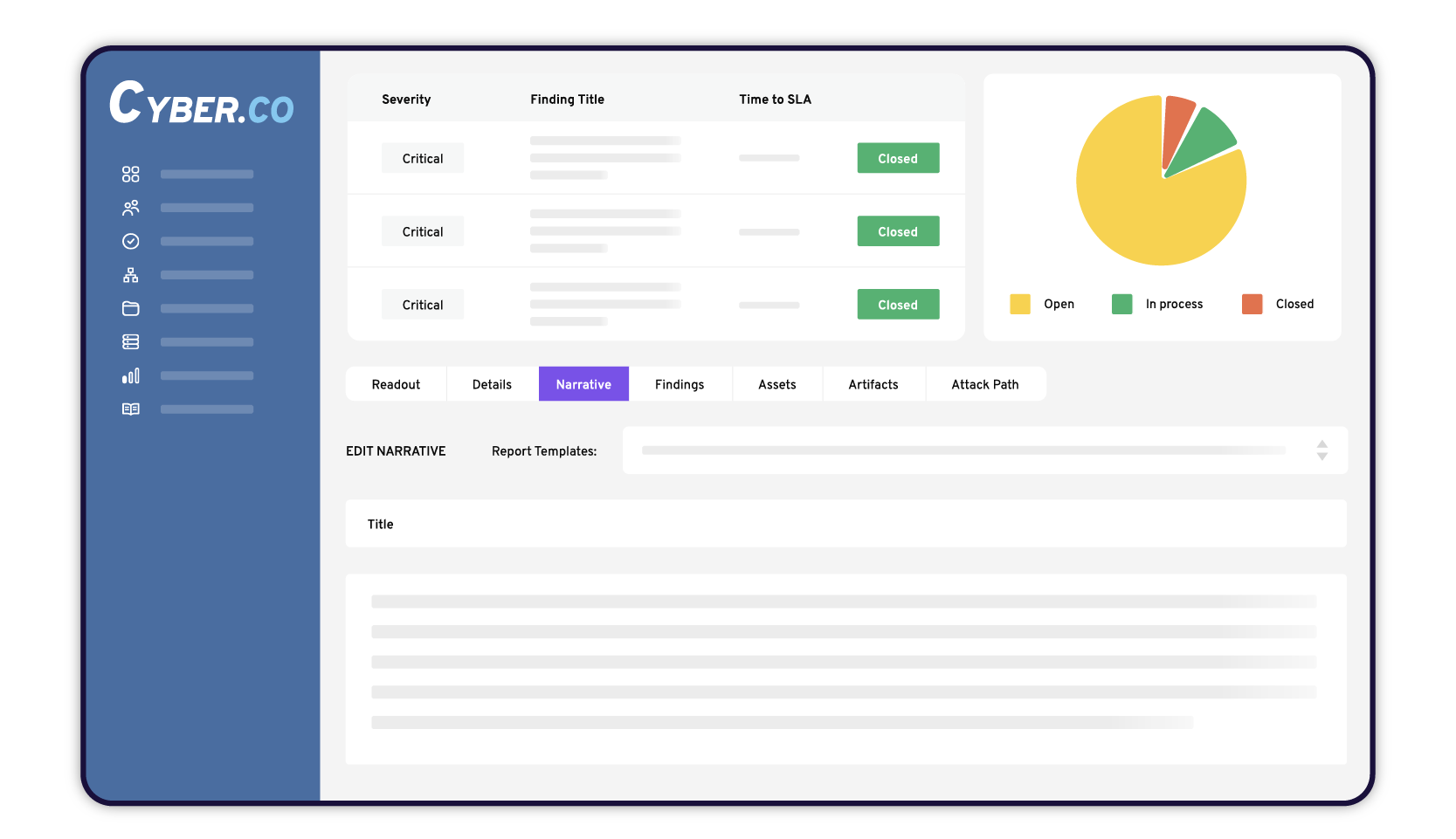
Deliver actionable engagement results through a white-labeled client portal with dynamic data, a real-time view of findings to track progress, report visuals, and access to historical data.
Workflow Automation
Build automated workflows that speed actionability, boost productivity and save time. Use trigger events—such as a new critical finding emerging—to automate actions—such as auto-creating a ticket in Jira or sending an email.
Remediation & Retesting
Streamline the process of tracking and addressing vulnerabilities with robust ticketing integrations (available at the client level) and built-in retesting workflows.
Exposure Management
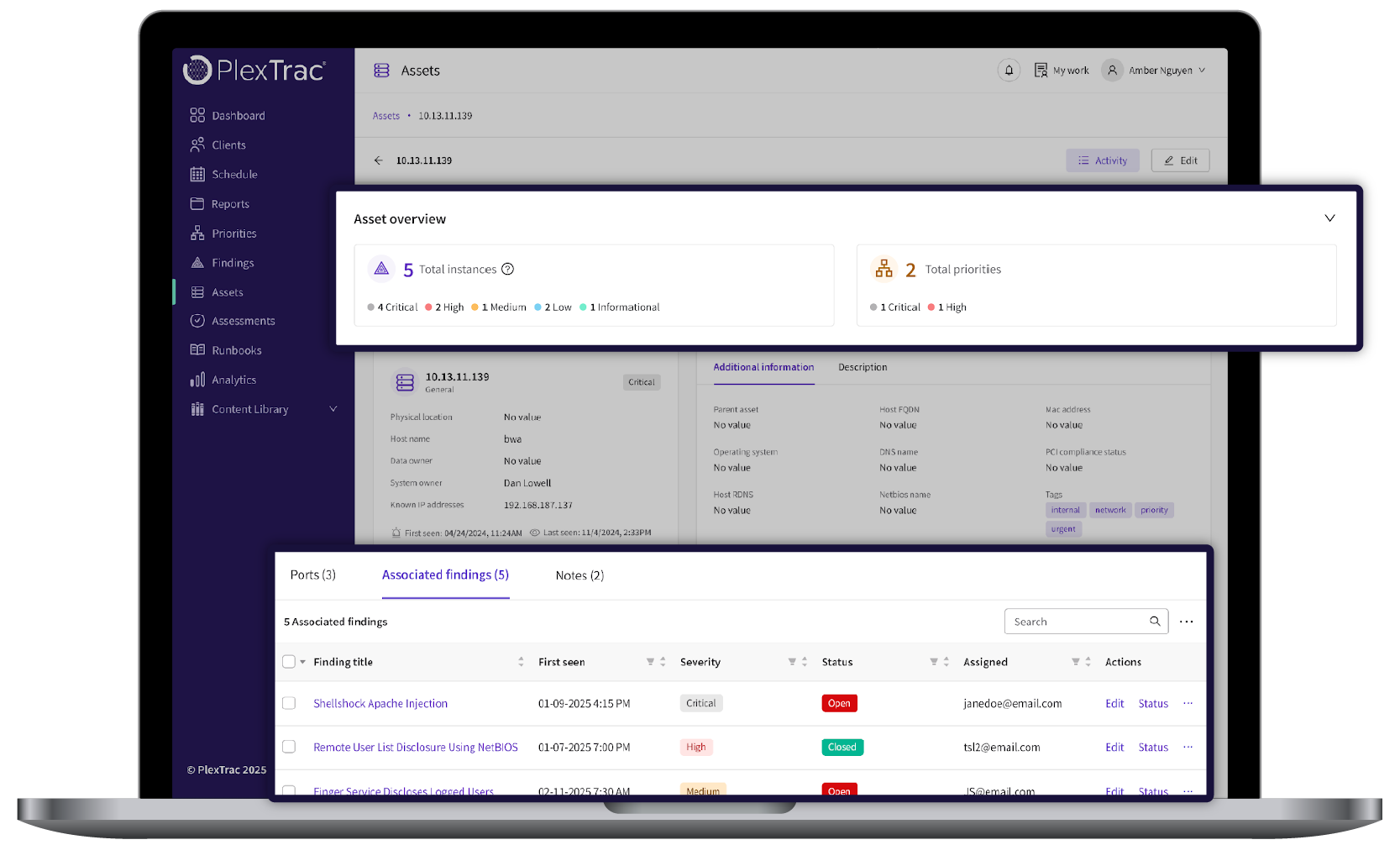
Continuously assess your attack surface by managing all consolidated data with either a finding-first lens (view all findings and their instances across your assets) or an asset-first lens (view all assets and their associated findings).


PlexTrac Benefits
Increase testing output by automating tasks, streamlining workflows, and improving overall efficiency while also improving report quality and consistency – regardless of who is doing the testing. Features such as reusable content, collaborative QA features, AI, scanner integrations and more all boost productivity without needing extra hires.

Provide higher value post-engagement by dynamically delivering results through the client portal so data is interactive and immediately actionable. Automatically send findings for remediation in Jira or ServiceNow and ensure visibility and collaboration across the team.

Drive efficiency across your team with a platform built for real-time collaboration and streamlined communication. Build onto existing workflows and bridge gaps between teams through automated remediation workflows and integrated systems including Jira, ServiceNow, Slack, Microsoft Teams, and more.
Read Why Pentesters Love Using PlexTrac


Pentest Reporting Guides & Resources
Frequently Asked Questions
Traditional penetration testing reporting is often time-consuming and fragmented across multiple tools, documents, and workflows. PlexTrac simplifies the entire pentest reporting process by providing a centralized platform where testers can capture findings, document evidence, and generate professional penetration testing reports automatically.
Security teams, red teams, and penetration testing providers use PlexTrac to automate penetration testing reporting, centralize findings, and manage the full lifecycle of offensive security engagements. By combining AI-powered reporting, collaborative workflows, automated integrations, and risk prioritization, PlexTrac enables teams to deliver high-quality penetration testing reports faster while ensuring vulnerabilities are properly tracked and remediated.
With PlexTrac, security teams can report as they test, capturing screenshots, code snippets, videos, and attack paths directly in the platform. AI-assisted reporting capabilities help generate vulnerability descriptions and remediation guidance while reusable narratives accelerate report creation. This automated approach dramatically reduces the time required to produce high-quality pentest reports while maintaining consistency across engagements.
By automating reporting workflows, PlexTrac enables security teams to deliver pentesting results faster and spend more time focusing on security insights rather than manual documentation.
PlexTrac goes beyond traditional pentest management and reporting automation platforms. It not only cuts your pentest reporting workflows in half but also helps you close the loop on remediation and conquer the last mile of continuous validation. With PlexTrac, pentesters can:
- Accelerate reporting using PlexTrac’s AI report authoring assistant, scoping questionnaires, real-time QA process, content library, style guides, and dynamic report delivery
- Aggregate findings from multiple data sources using out-of-the-box integrations with the industry’s most popular vulnerability scanners, automated pentesting tools, and vulnerability management tools
- Prioritize your findings based on criticality and potential business impact using PlexTrac’s context-based scoring engine
- Track the progress of vulnerability and threat remediation using integrations with industry-leading ticketing platforms
PlexTrac integrates with industry leading tools to ingest scan results into the platform–ensuring comprehensive pentest reports with both automated and manual inputs.
Go beyond traditional PDF reports and deliver results digitally through a web-based portal so they are immediately actionable. Assign tasks via automation and integrate with ticketing systems like Jira and ServiceNow to automate the findings handoff and retesting workflows. Stakeholders may dynamically interact with the report and track remediation in real-time, ensuring efficient resolution of high-priority issues.
Scale testing with your existing resources without compromising quality by leveraging AI, workflow automation, collaborative features, and reusable content. Use a secure AI model for report authoring by auto-generating findings and recommended remediation steps.
Save writeups, narratives, and procedures within reusable content repositories so testers may pull from pre-existing content to ensure report consistency–regardless of which tester is writing the report. Build procedures into repeatable test plans to ensure testing consistency across engagements. PlexTrac offers the industry’s largest out-of-the-box repository of 25,000+ writeups and a MITRE ATT&CK repository that may be used to build reusable test plans.
Yes. PlexTrac can be used for all types of pentests, including web application, network, physical, mobile, and wireless network testing. The flexibility of the platform lets you tailor reports and workflows to suit the specific needs of each type of test. You may also ingest data from a wide range of automated scanner and pentesting tools to conduct various types of testing.
The time it takes to generate a pentest report significantly varies with scope and type of engagement. However, thanks to reusable content, AI, customizable templates and real-time collaborative features, PlexTrac can significantly reduce the time to generate a pentest report with customers reporting time savings of up to 75%.
Yes, PlexTrac’s pentest reporting platform supports regulatory compliance through proactive vulnerability management and by helping organizations pinpoint vulnerabilities before a potential breach — leading to a more robust and resilient security posture.
Some of the compliance standards and regulatory frameworks that require pentesting reports include PCI DSS, HIPAA, GDPR, FISMA, CMMC and SOC 2.
Pentesting steps and findings can vary depending on the focus and type of report, but most penetration testing reports include an executive summary, scope and methodology, key findings, conclusions and recommendations, and appendices. You can learn more about pentest reporting methodology and formatting here.
For non-technical stakeholders, reports should focus on risk, impact, and remediation steps without in-depth technical details. Dynamic visuals within PlexTrac’s client portal help communicate these areas at a high-level.
Get Started With PlexTrac
Jump into a demo and see PlexTrac for Pentest Reporting in action.
